Tips and Troubleshooting
Frequency Asked Questions
Note
If you are having any issues do not hesitate to Contact Us
The New Object with Quad Maker option is greyed out. Why?
Make sure you have an object selected in Object Mode before trying to use this option. If you have an object selected in Edit Mode, the option will be greyed out.
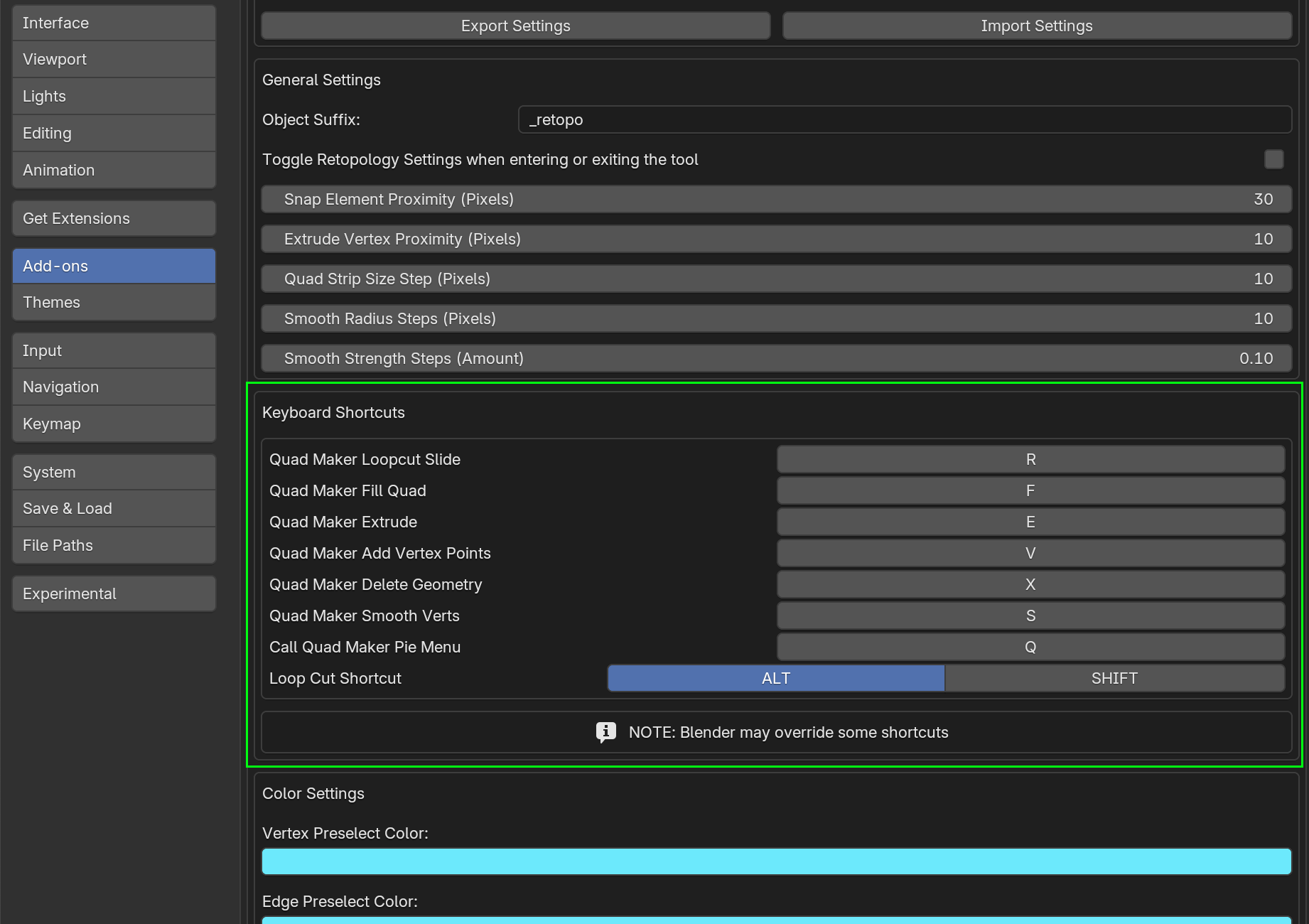
Can I change the keyboard shortcuts for the tool?
Go to Edit - Preferences - Add-ons and search for Quad Maker and expand the Quad Maker Section. Here you can change the keyboard shortcuts for each operation.
Warning
Some keys like Shift and Tab are often used in Blender for multi-selection and other core functions, which can limit its useability for custom hotkey assignments.
Unfortunately, Blender can override keyboard shortcut preferences if the changes override core behaviour.
Therefore, assigning other industry standard shortcuts may not be possible.
Changing the keyboard shortcuts is therefore not recommended as it may cause conflicts with Blender or other add-ons.
Retopology Resources
Here are some free and paid resources for learning more about retopology. There are many, many more:
Pixar’s retopology modelling tips - https://graphics.pixar.com/opensubdiv/docs/mod_notes.html
Topology Guides - https://topologyguides.com/
Optimal Edge Loop Reduction Workflows - https://topologyguides.com/loop-reduction
Blender Studio’s Retopology Course - https://studio.blender.org/training/stylized-character-workflow/chapter/5d384edea5b8f5c2c32c8507/